
Color Snap Data Deletion Guide
Last Updated: June 9, 2026 · Package: com.vinit.colorsnap
Developer: Vinit Garach · Contact Email: help@vinitgarach.com
1. Account Types
Color Snap supports two account types:
Guest Account
Users may choose Continue as Guest when first launching the app.
- When a guest account is created, a unique anonymous Firebase account identifier is assigned to the user. Gameplay data such as scores, rankings, achievements, statistics, and leaderboard information may be associated with this anonymous account.
- If an internet connection is unavailable when the user chooses Continue as Guest, gameplay data may be stored locally on the device. Once an internet connection becomes available, Color Snap may automatically create an anonymous account and synchronize the user's gameplay data.
Google Account
Users may choose Continue with Google to sign in using their Google account.
- When signed in with Google, gameplay data is associated with the user's Google-linked Color Snap account.
2. Linking a Guest Account to Google
Guest accounts can be linked to a Google account from the Profile page. When a guest account is linked to a Google account:
- The user's gameplay progress is transferred to the Google-linked account.
- The temporary anonymous guest account is removed.
- The Google account becomes the primary account used for future sign-ins.
If a Google account was previously used with Color Snap, the original Google-linked account data will be restored and used.
3. Logging Out
Guest Accounts
Guest accounts do not provide a logout option. Users who are playing as guests may continue using the anonymous account or permanently delete it.
Google Accounts
Google account users are provided with a logout option. After logging out, users may either:
- Sign back in with Google.
- Continue using a new guest account.
Steps to logout:
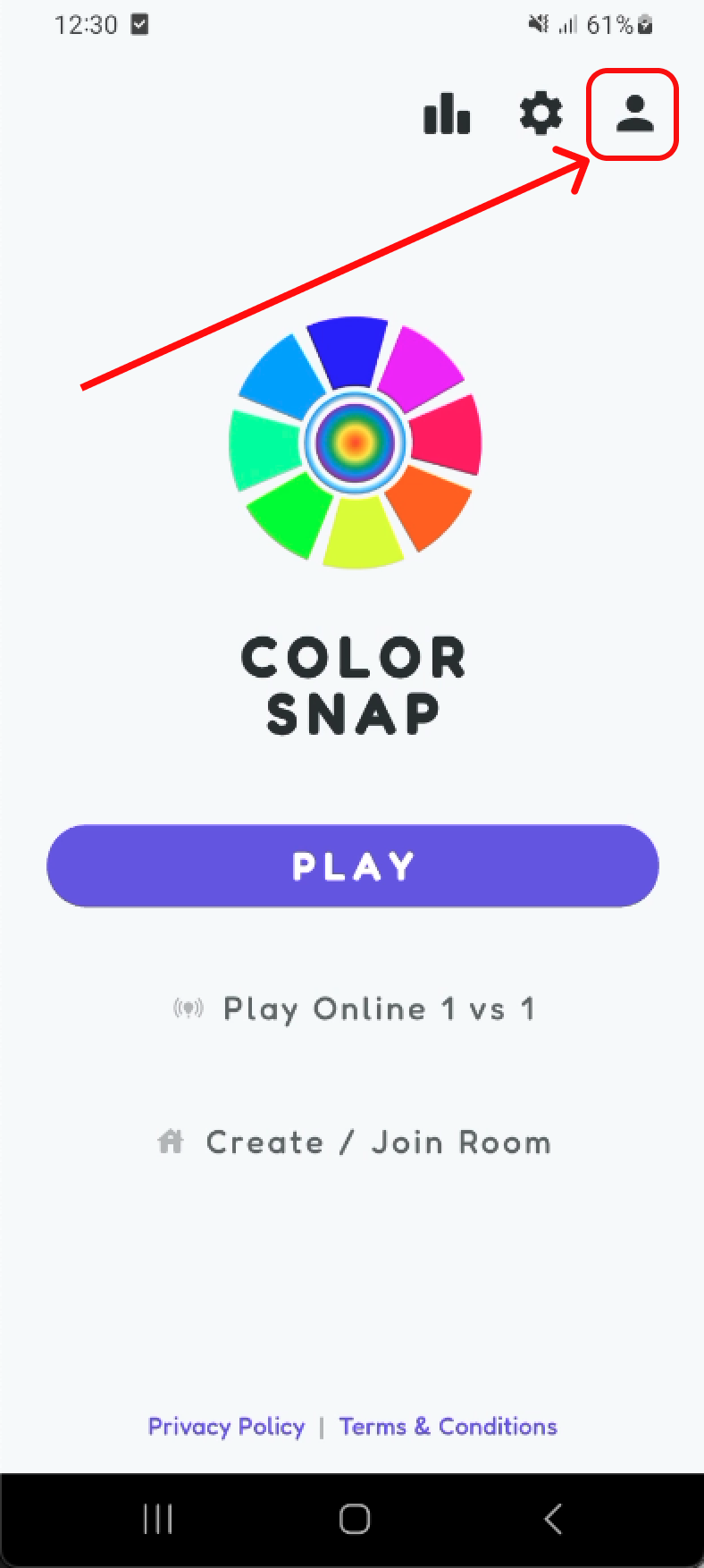
Step 1: Go to profile screen
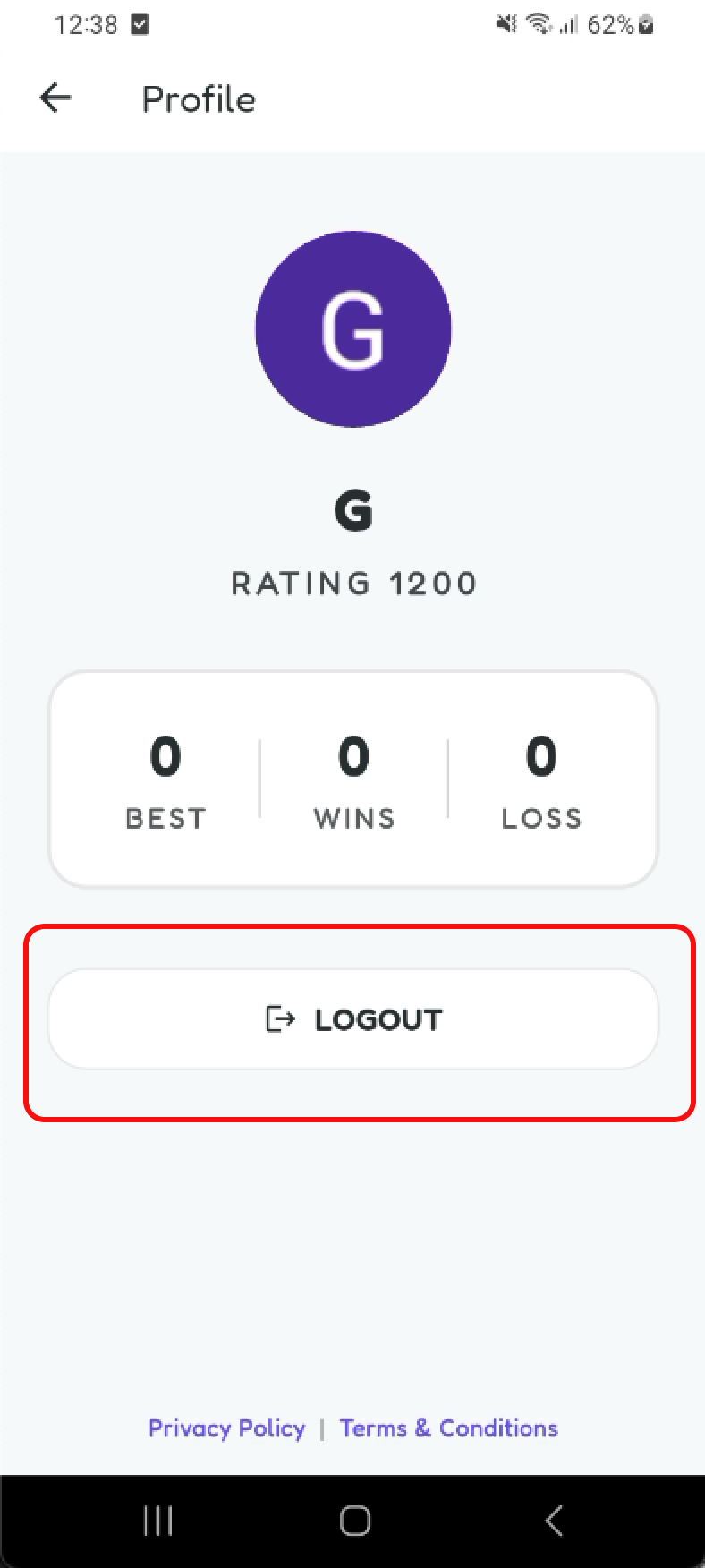
Step 2: If linked, logout option shows
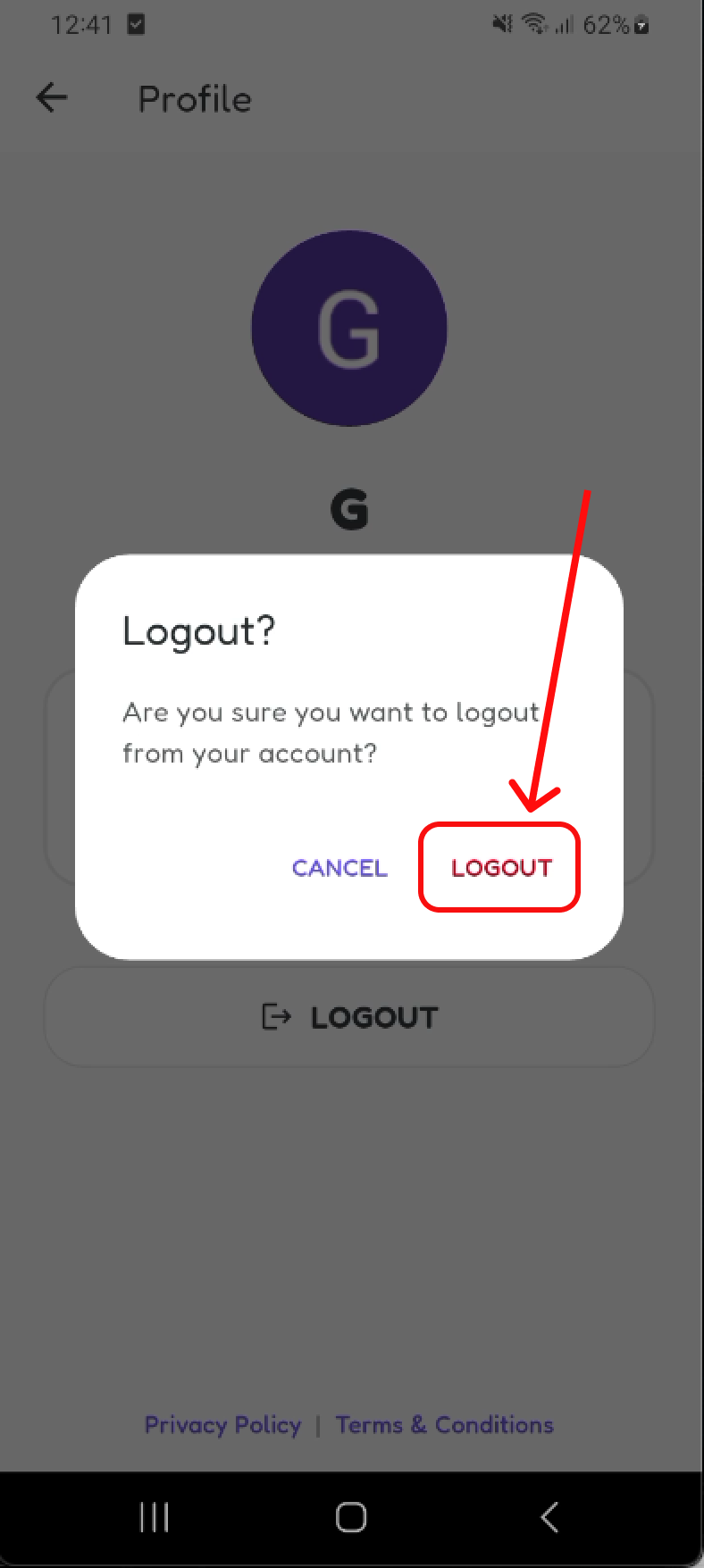
Step 3: Confirm logout in dialog
4. Deleting a Guest Account
Guest account users can delete their account directly from the Settings page. Deleting a guest account permanently removes:
- Profile information
- Scores
- Rankings
- Achievements
- Gameplay statistics
- Match history
- Leaderboard records
- Associated guest account data
Steps to delete account:
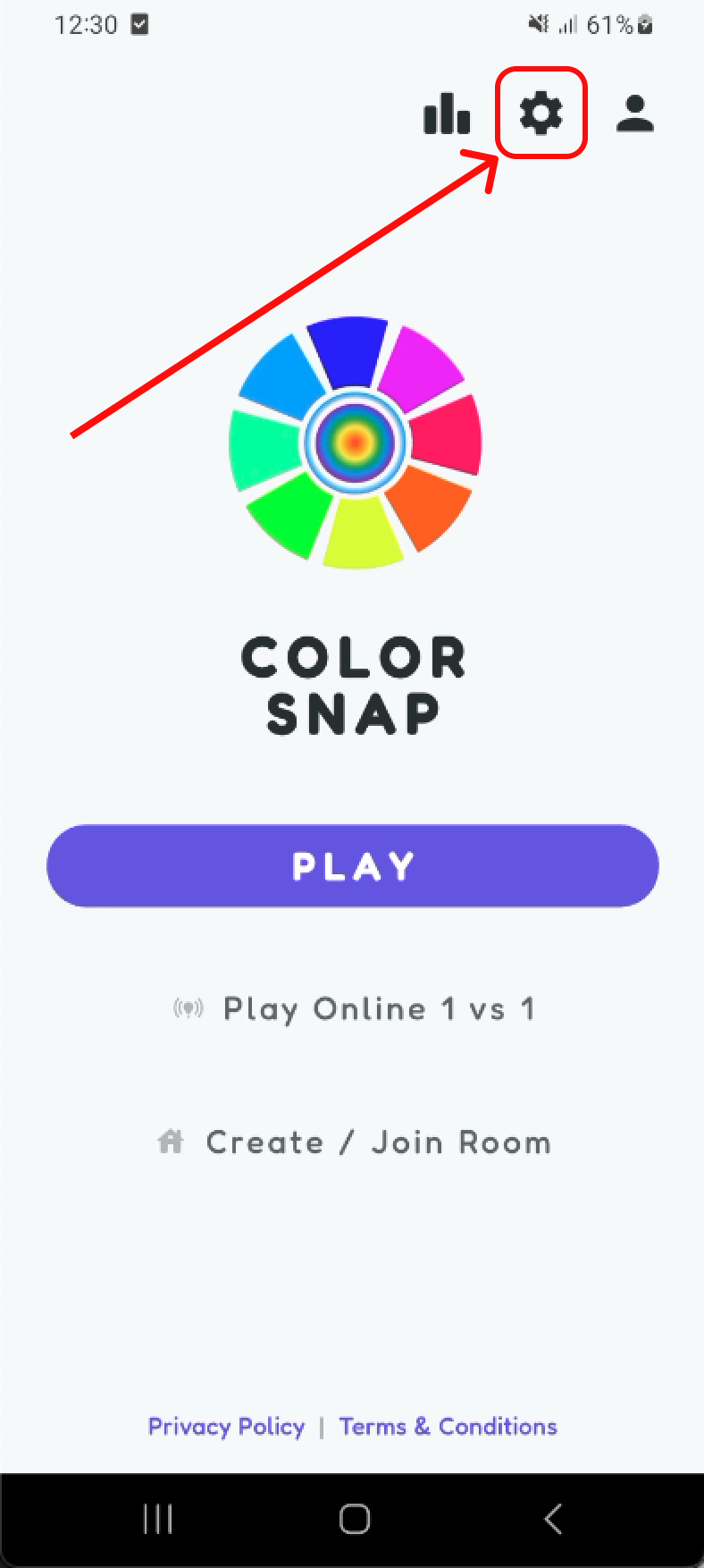
Step 1: Go to home screen
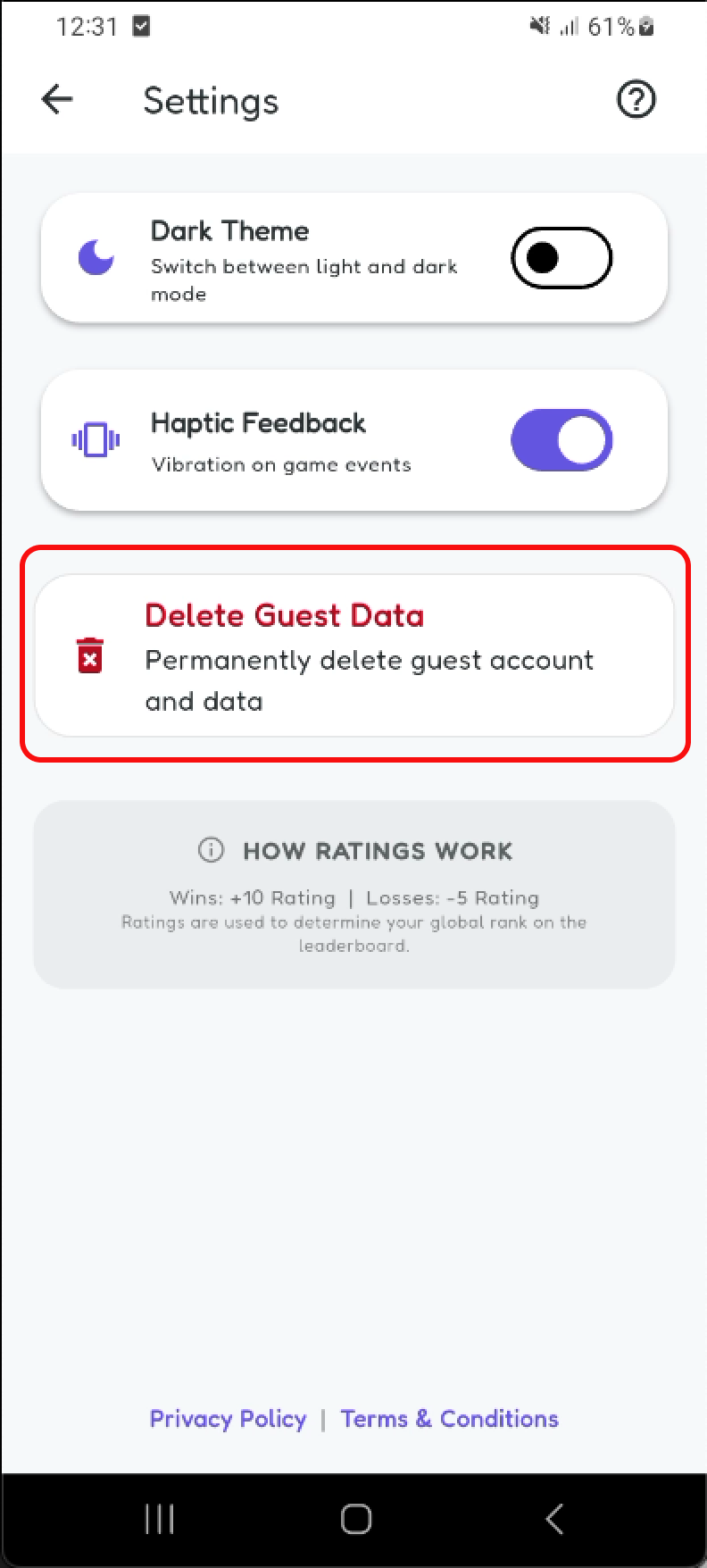
Step 2: Open settings page
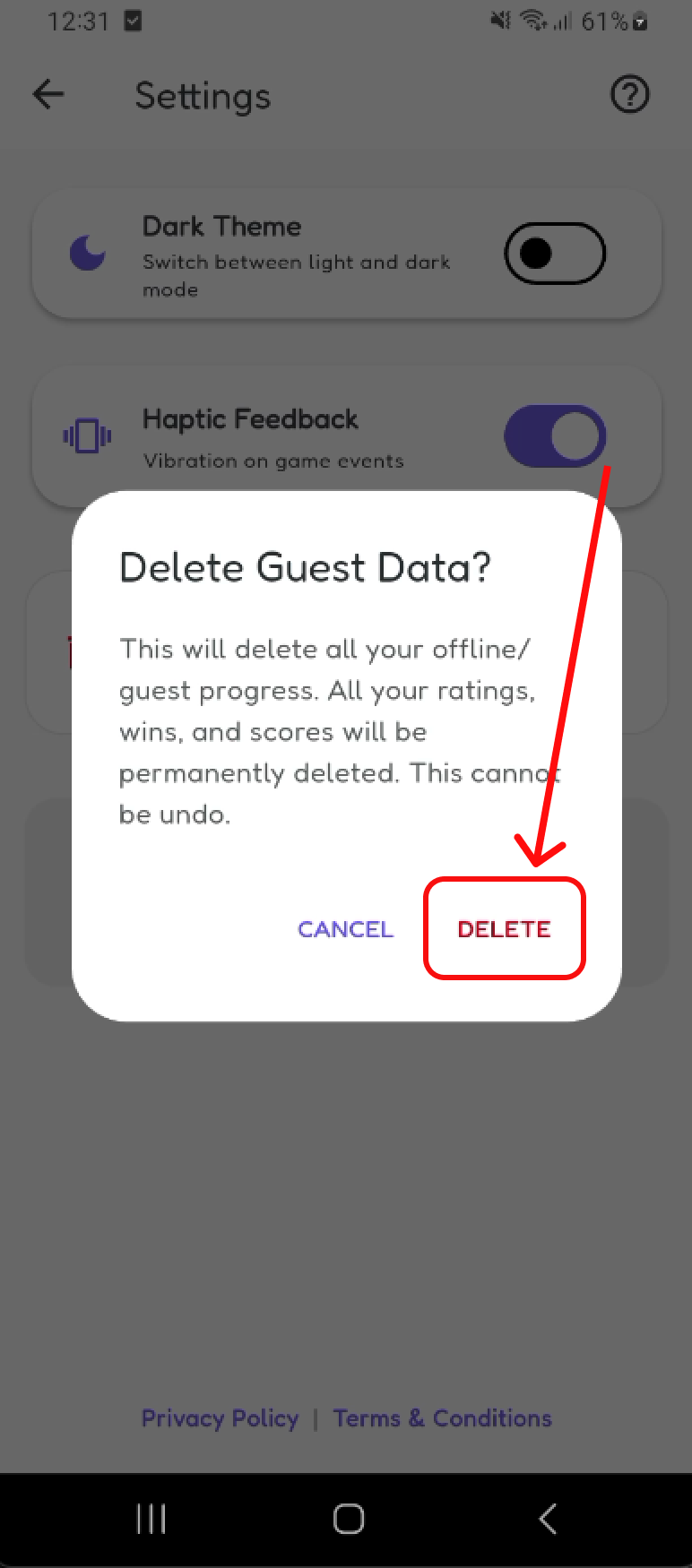
Step 3: Click delete account and confirm
5. Deleting a Google Account
Google account users can delete their account directly from the Settings page. Deleting a Google-linked account permanently removes:
- Profile information
- Scores
- Rankings
- Achievements
- Gameplay statistics
- Match history
- Leaderboard records
- Associated account data
The Google account will be disconnected from Color Snap. This action is permanent and cannot be reversed.
Steps to delete account:
Step 1: Go to home screen
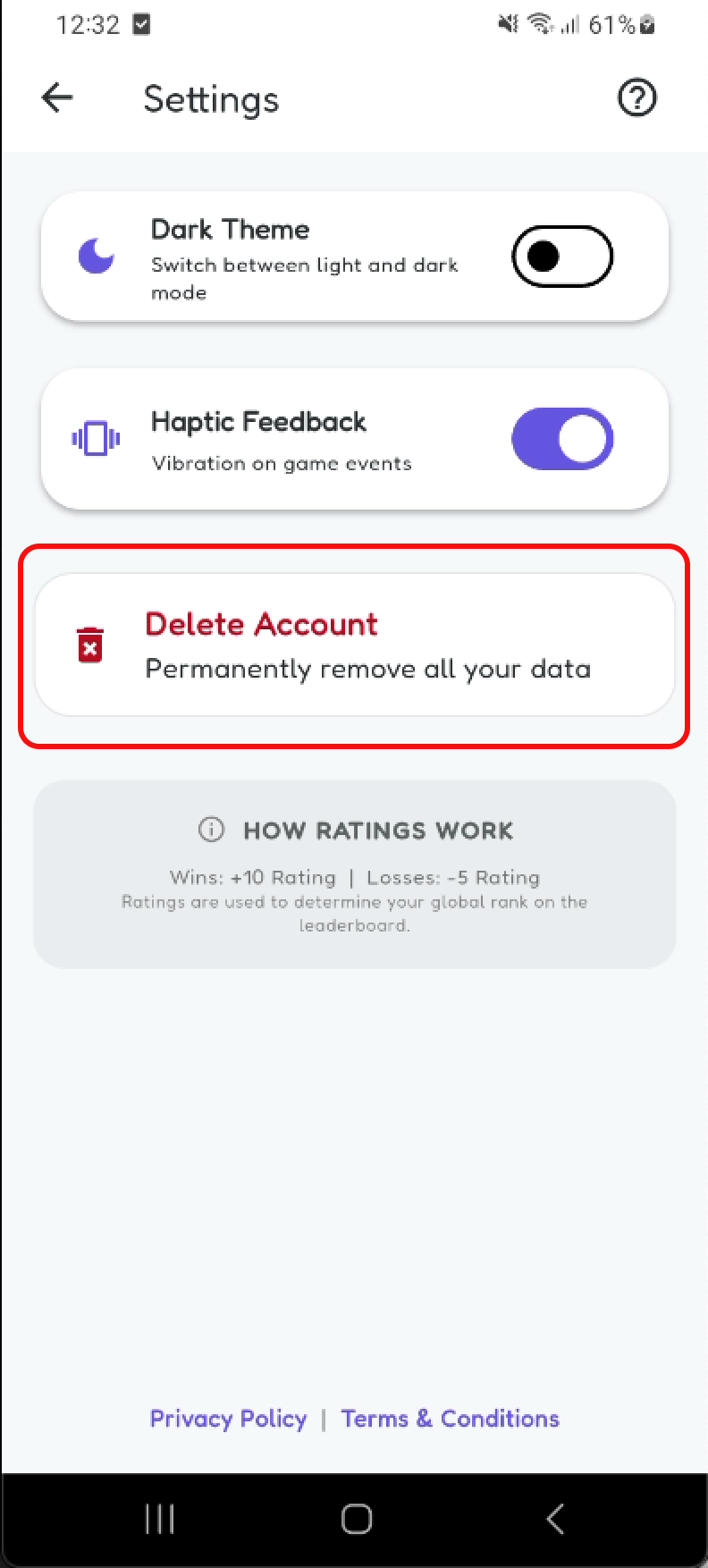
Step 2: Open settings page
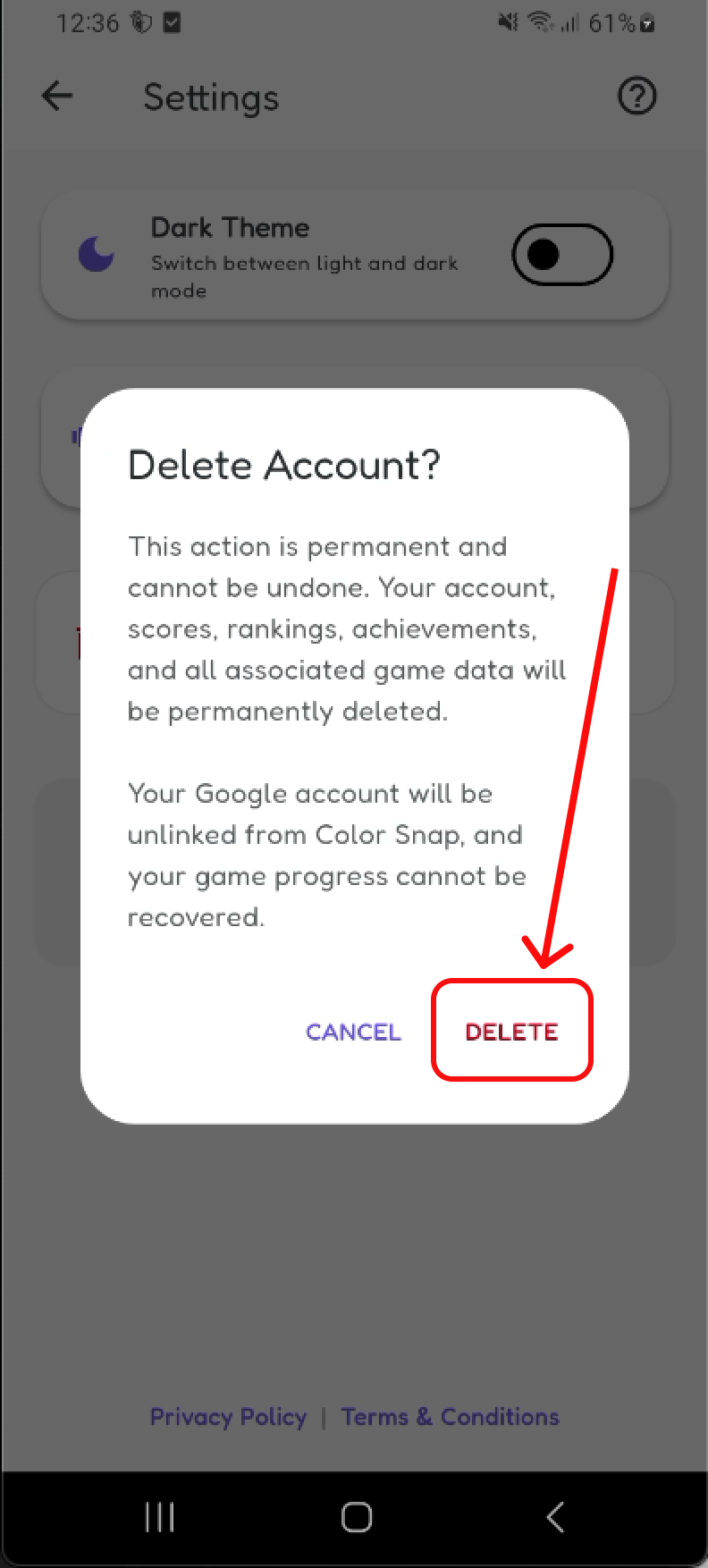
Step 3: Click delete account and confirm
6. Uninstalled Guest Accounts
Guest accounts are anonymous and are identified only through the anonymous account identifier stored by the app. If a user uninstalls Color Snap before deleting their guest account:
- The anonymous account identifier may no longer be available.
- The user may no longer be able to access or delete that specific guest account.
- Color Snap may be unable to verify ownership of the anonymous account.
For this reason, users who wish to permanently remove their guest account should do so from the Settings page before uninstalling the app.
7. Inactive Guest Account Removal
Anonymous guest accounts that remain inactive for an extended period may be automatically removed from Color Snap systems. Inactive guest accounts may be permanently deleted after approximately 12 months of inactivity.
This automated cleanup process applies only to anonymous guest accounts. Google-linked accounts are not automatically deleted due to inactivity.
8. Contact & Manual Deletion Requests
If you have any questions regarding account deletion, data removal, or any other privacy-related queries, please feel free to reach out:
All requests for data deletion will be entertained, and I will make our best effort to assist you in removing your information.